Telegram Integration
Purpose
Telegram is the current interactive transport for JARVIS. The runtime uses a small polling bridge to receive messages and callback actions, routes them through the orchestrator, and renders the result back into Telegram-friendly text, HTML, buttons, and optional patch attachments.
Setup
JARVIS reads Telegram configuration from environment variables in src/jarvis/settings.py.
Required variables:
JARVIS_TELEGRAM_BOT_TOKENfor the bot token created with BotFatherJARVIS_TELEGRAM_ALLOWED_CHAT_IDSfor the comma-separated allowlist of chat IDs
Optional variable:
JARVIS_TELEGRAM_POLL_TIMEOUT_SECONDSto control long-poll duration
Example:
export JARVIS_TELEGRAM_BOT_TOKEN="123456:example-token"
export JARVIS_TELEGRAM_ALLOWED_CHAT_IDS="123456789"
export JARVIS_TELEGRAM_POLL_TIMEOUT_SECONDS="30"
python -m jarvis.main
If the bot token is missing, src/jarvis/main.py does not start the Telegram polling loop. It falls back to a local sample flow and prints a /status response to stdout.
Runtime Flow
The Telegram path is wired in src/jarvis/main.py.
Telegram user
  -> Telegram Bot API
  -> TelegramBridge.get_next_instruction()
  -> OrchestratorAgent
  -> TelegramPresenter
  -> TelegramBridge.send_response() / send_document()
The concrete behavior is:
TelegramBridgelong-pollsgetUpdatesformessageandcallback_query.- Incoming chat IDs are checked against
JARVIS_TELEGRAM_ALLOWED_CHAT_IDS. - Normal text messages are normalized into
TelegramInstruction. OrchestratorAgent.handle_telegram_instruction()routes and executes the request.TelegramPresenterformats the structured result into Telegram-ready output.TelegramBridge.send_response()sends the message back, splitting long replies when needed.- If a diff attachment is present,
send_document()uploads it as a file.
How Interaction Works
Plain messages
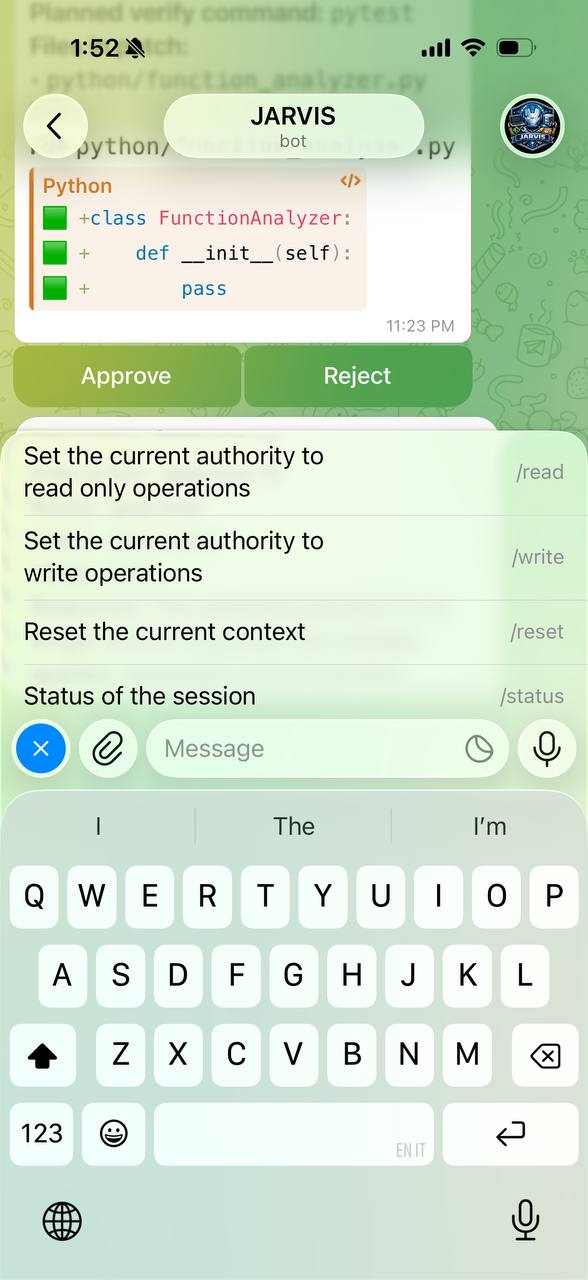
Normal messages are handled as instructions. The orchestrator decides whether they are:
- authority commands such as
/write - workspace queries
- repo activation requests
- code-change proposals
- approval or rejection replies
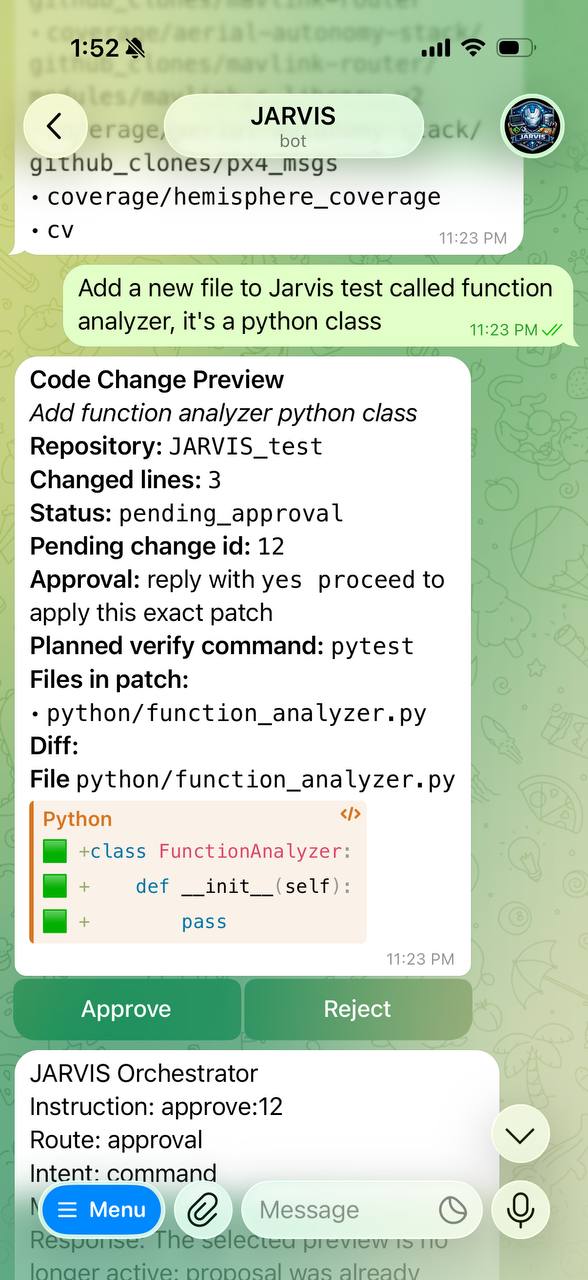
Workspace responses and code-change previews are rendered as HTML so Telegram can show structured headings, inline code, and formatted previews.
Approval buttons
For pending code changes, JARVIS can render inline buttons built in src/jarvis/presentation/telegram/keyboards.py:
ApproveReject
Those buttons carry compact callback payloads of the form approve:<pending_change_id> and reject:<pending_change_id>.
When a user taps one:
- Telegram sends a
callback_query. TelegramBridgeextractscallback_data.OrchestratorAgent.handle_callback_payload()parses the action.- The orchestrator resolves the pending change for that chat.
- The approval or rejection path is dispatched through the canonical pending-change flow.
- JARVIS answers the callback query to stop Telegram's loading spinner.
- The resulting status message is sent back into the chat.
Screens
Code review flow
Action flow
Relevant Source Files
src/jarvis/main.pysrc/jarvis/services/telegram_bridge.pysrc/jarvis/presentation/telegram/presenter.pysrc/jarvis/presentation/telegram/formatters.pysrc/jarvis/presentation/telegram/keyboards.pysrc/jarvis/presentation/telegram/callbacks.py